Submit your request, and our specialists will contact you shortly.
Submit your request, and our specialists will contact you shortly.
Submit your request, and our specialists will contact you shortly.
Submit your request, and our specialists will contact you shortly.
Submit your request, and our specialists will contact you shortly.
You can review the methodology and training program for "Corporate Server 2024" via the link
We regularly update our product and share the news. Subscribe to our newsletter to stay up to date with the latest developments in the R7 Office environment.

Forms are created in a visual editor. Adding steps, configuring logic, and customizing the appearance require no code and no complex setup.
Set a welcome screen, a sequence of questions, and a completion screen with a message or instructions for the respondent.
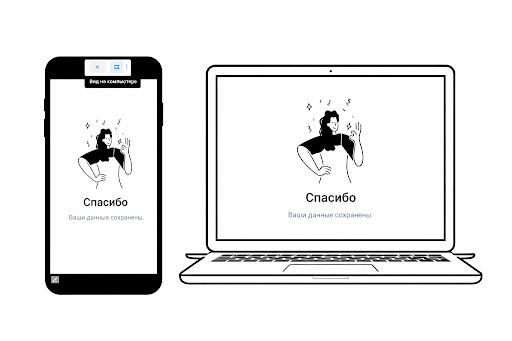
Preview the form before publishing to see exactly how it will appear on desktop and mobile devices.
Configure the form for step-by-step progression or allow respondents to move freely between sections. Works well across a variety of scenarios — from short surveys to detailed questionnaires.
A progress bar shows respondents how many steps remain, creating a sense of momentum that encourages completion and increases the number of successfully submitted responses.
Adjust transition animations, element sizing, and interface rounding. The form is equally easy to fill out on desktop and mobile.
Choose a primary color to align the form with your corporate identity and maintain visual consistency across your company’s services.

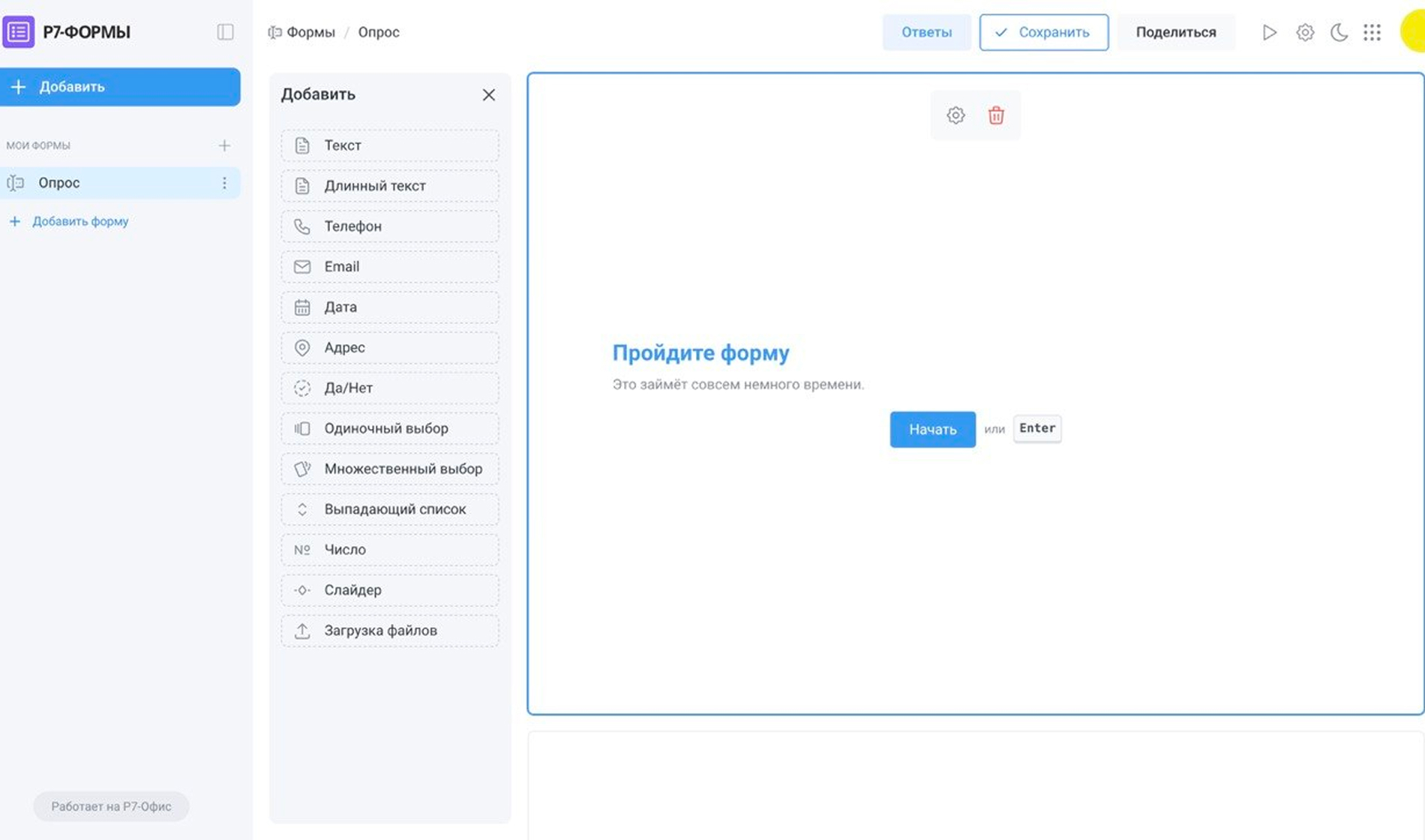
Short and long text inputs for collecting names, comments, reviews, and open-ended responses.
Dedicated field types for phone numbers and email addresses, with autofill and validation support.
Date selection via a calendar picker and structured address input.
Yes/no options, single and multiple choice, and dropdown lists for quick responses.
Number inputs, sliders, and range selectors for precise and intuitive parameters.
Collect documents, images, and other files. Multiple file upload is supported.
Forms can be restricted to company employees and used for internal surveys, questionnaires, and workflows.
Collected data stays within the organization and is governed by your standard security policies.
Publish a form and share a link for external respondents — for example, for event registration or lead collection.
Publishing is managed centrally and can be disabled at any time.
R7 Forms run inside R7 Corporate Server and are part of the platform’s unified architecture, sharing the same security, authorization, and access control mechanisms.
The platform includes document editors, Drive, mail and calendar, messenger and video conferencing, Projects, and other services.
A cloud-based demo environment for exploring R7 Forms. Evaluate the form builder, step types, appearance settings, submission logic, and response collection — no deployment in your own infrastructure required.
R7 Office is already running inside the software ecosystems of major Russian corporations and partner infrastructures, handling high traffic volumes and millions of active users every day.




You’ll get a hands-on look at formatting, document comparison, automation, and spell-check features applied to real-world business scenarios.
The tool is suited for HR surveys, internal questionnaires, assessments, feedback collection, event registration, and request intake. A single form builder covers every data collection scenario in your organization.
No. Forms are built using a visual editor. All configuration is done through the interface — no coding required.
All responses and attachments are stored within your corporate infrastructure alongside R7 Corporate Server — on your organization’s own servers or in a private cloud.
Data is never shared with third-party services and is governed by the same security, access, and administration policies as all other platform services. This simplifies oversight, auditing, and compliance with internal policies.
This website uses cookies to improve site performance, analyze traffic, and personalize content.
Technical cookies required for the website to function. These cannot be disabled.
Help us understand how you use the website so we can improve it.
Used to display relevant ads and measure campaign effectiveness.