Submit your request, and our specialists will contact you shortly.
Submit your request, and our specialists will contact you shortly.
Submit your request, and our specialists will contact you shortly.
Submit your request, and our specialists will contact you shortly.
Submit your request, and our specialists will contact you shortly.
You can review the methodology and training program for "Corporate Server 2024" via the link
We regularly update our product and share the news. Subscribe to our newsletter to stay up to date with the latest developments in the R7 Office environment.


Policies, instructions, project documentation, and notes are no longer scattered across chats and files. All text-based information lives in one system.
You can organize pages by department, project, or area of work — creating a clear hierarchy with well-defined access rules.
A page can be created in seconds and filled with content right away. Changes are published instantly and immediately available to your team.
Pages can stay internal or be shared via a link. The decision rests with the administrator and content owner.
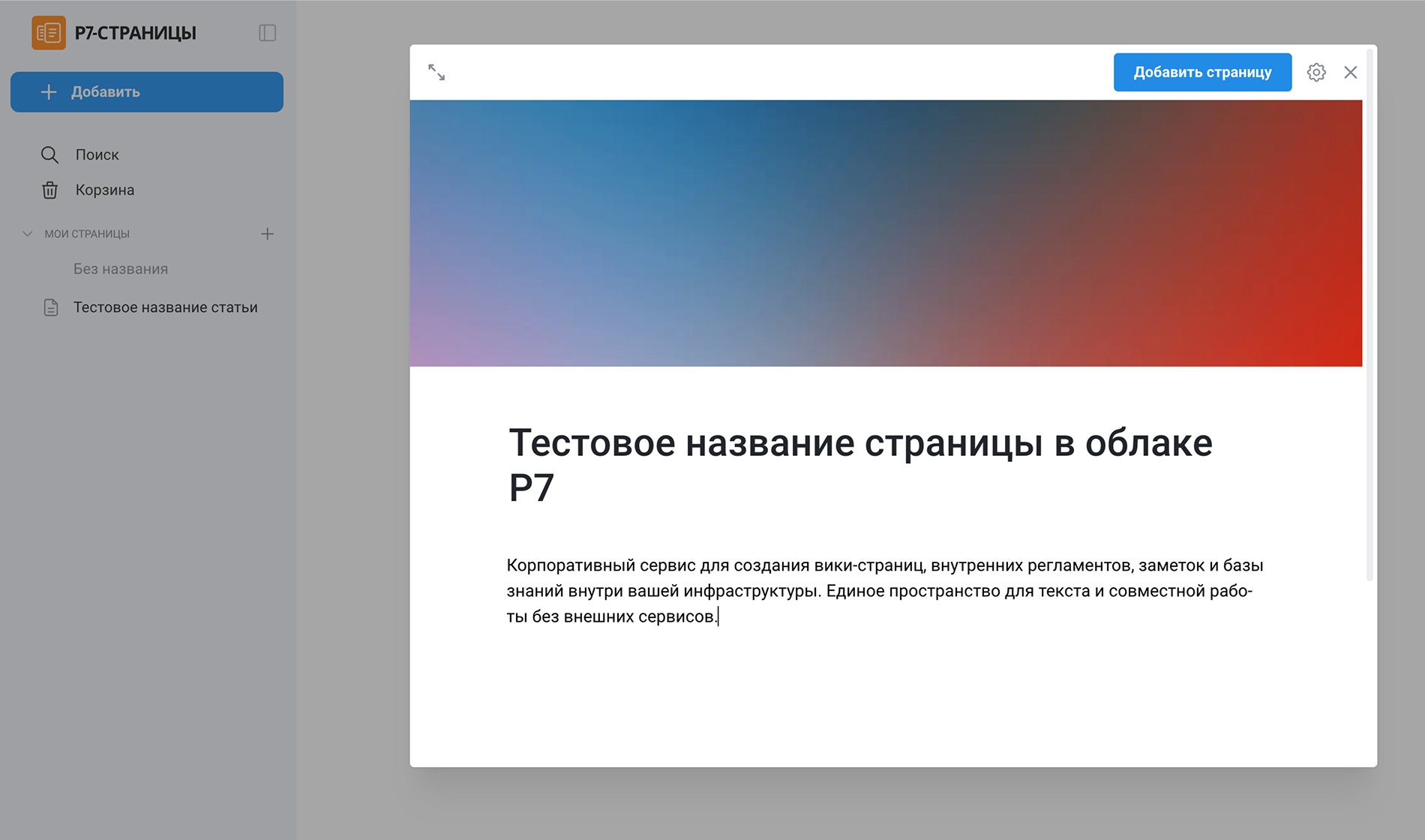
The interface is minimal and focused on content, not visual effects.
The button to create a new page is always within reach — from any section of the service, you can start a new page and get straight to writing.
You can add an icon and a cover image to any page.
The cover can be replaced, uploaded from your device, or chosen from a library — and repositioned to match your company’s style.
The editor expands to fill the entire screen, helping you stay focused when working through long instructions or policy documents.
Editing remains fully available while unnecessary interface elements are hidden — nothing gets in the way when you’re working with large volumes of content.

The slash command opens a menu of formatting options and content blocks. This speeds up your workflow without requiring you to memorize complex toolbars.
Heading levels, numbered and bulleted lists, and checklists are all supported — well-suited for policies, instructions, and project documentation.
Paragraphs, quotes, collapsible sections, dividers, tables, and grids for organizing information. You can build a page of any complexity without external tools.
Insert code blocks with support for popular programming languages. Ideal for technical documentation and how-to guides.
You can insert images from your computer or via URL, and embed videos from RuTube — such as training materials or process walkthroughs.
Files can be attached directly to a page. This is useful when a policy document comes with templates, reports, or supporting technical files.
Pages can be grouped together to build your company’s internal wiki. Departments, projects, areas of work — all in one workspace.
Search across titles and content lets you find what you need fast, even when the knowledge base spans hundreds of pages.
Pages work as part of the Corporate Server and can be used alongside document editors, Drive, Projects, and other services on the R7 platform.

R7 Pages are deployed as part of Corporate Server and run within the organization’s own infrastructure — on-premises or in a private cloud.

Suitable for storing internal information and processing personal data in compliance with Russian legislation.

Page permissions and publishing rights are managed centrally. Access can be segmented by department, business unit, and role.

The product was developed in Russia and is listed in the Unified Register of Russian Software.
R7 Pages operate within the platform’s unified architecture and share common authorization, security, and access management mechanisms.
Corporate Server includes document editors, Drive, email, calendar, communications, Projects, and other services.
The cloud version of R7 Pages is available online — no server installation or configuration required. You can try out the editor, page hierarchy, publishing, and co-editing exactly as they would work in a real corporate environment.
R7 Office is already running inside the software ecosystems of major Russian corporations and partner infrastructures, handling high traffic volumes and millions of active users every day.




You’ll get a hands-on look at formatting, document comparison, automation, and spell-check features applied to real-world business scenarios.
R7 Pages are suited for any scenario where a company needs to centrally store text-based information, keep it up to date, and manage access without relying on third-party services:
Yes. A page can be published to generate a public link. Access can be password-protected, and permissions for embedded documents can be managed separately.
No. The editor uses a block-based approach that lets you add elements through a menu. Pages are created and formatted without any coding.
All pages and attachments are stored within the organization’s own infrastructure alongside the R7 Corporate Server. Data is never shared with external services and is governed by the platform’s unified security policies.
This website uses cookies to improve site performance, analyze traffic, and personalize content.
Technical cookies required for the website to function. These cannot be disabled.
Help us understand how you use the website so we can improve it.
Used to display relevant ads and measure campaign effectiveness.