Submit your request, and our specialists will contact you shortly.
Submit your request, and our specialists will contact you shortly.
Submit your request, and our specialists will contact you shortly.
Submit your request, and our specialists will contact you shortly.
Submit your request, and our specialists will contact you shortly.
You can review the methodology and training program for "Corporate Server 2024" via the link
We regularly update our product and share the news. Subscribe to our newsletter to stay up to date with the latest developments in the R7 Office environment.

 Windows
  macOS
macOS  Linux
Linux All task information — deadlines, assignees, and details — stays inside the project and doesn’t get scattered across systems.
Tasks can be created, grouped, and prioritized. It’s always clear what’s urgent, what’s in progress, and what’s done.
The status of every task is always visible. Managers don’t need to chase down reports manually — the project picture builds itself automatically.
All project participants work in the same context. Comments, attachments, and change history live right inside the task.
Built-in task types include standard tasks, bugs, and milestones. You can also create custom types and configure them to match your team’s or project’s specific needs.
Preset statuses are available and fully customizable. Set priorities to highlight critical tasks immediately and keep work moving in the right order.
Every task is assigned to a specific person with clear accountability. This makes it easy to track progress and balance the workload.

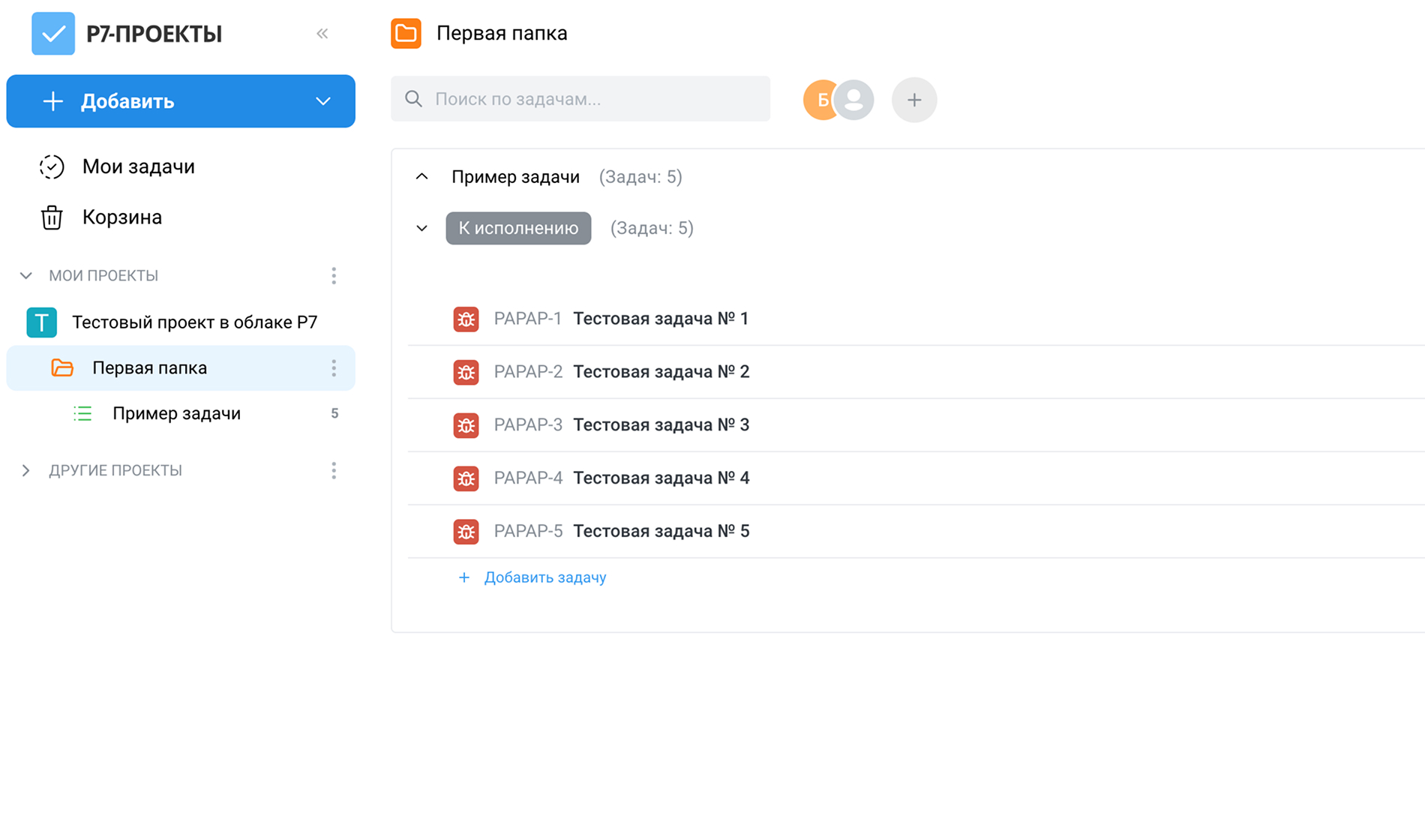
Add a detailed description and attach files to any task. All information is stored in one place and accessible to every project participant.
Task discussions happen right inside the task — no need to dig through emails or messengers for decisions and agreements.
Every change to a task is logged. You can see who changed a status, description, or any other parameter, and when.
From any task, jump straight to the project’s task list or its full structure. Easy to get your bearings, even on large projects.
Search by title or description to find any task quickly — even in long-running projects with hundreds of items.
Participants receive notifications about key updates: task assignments, status changes, and new comments.
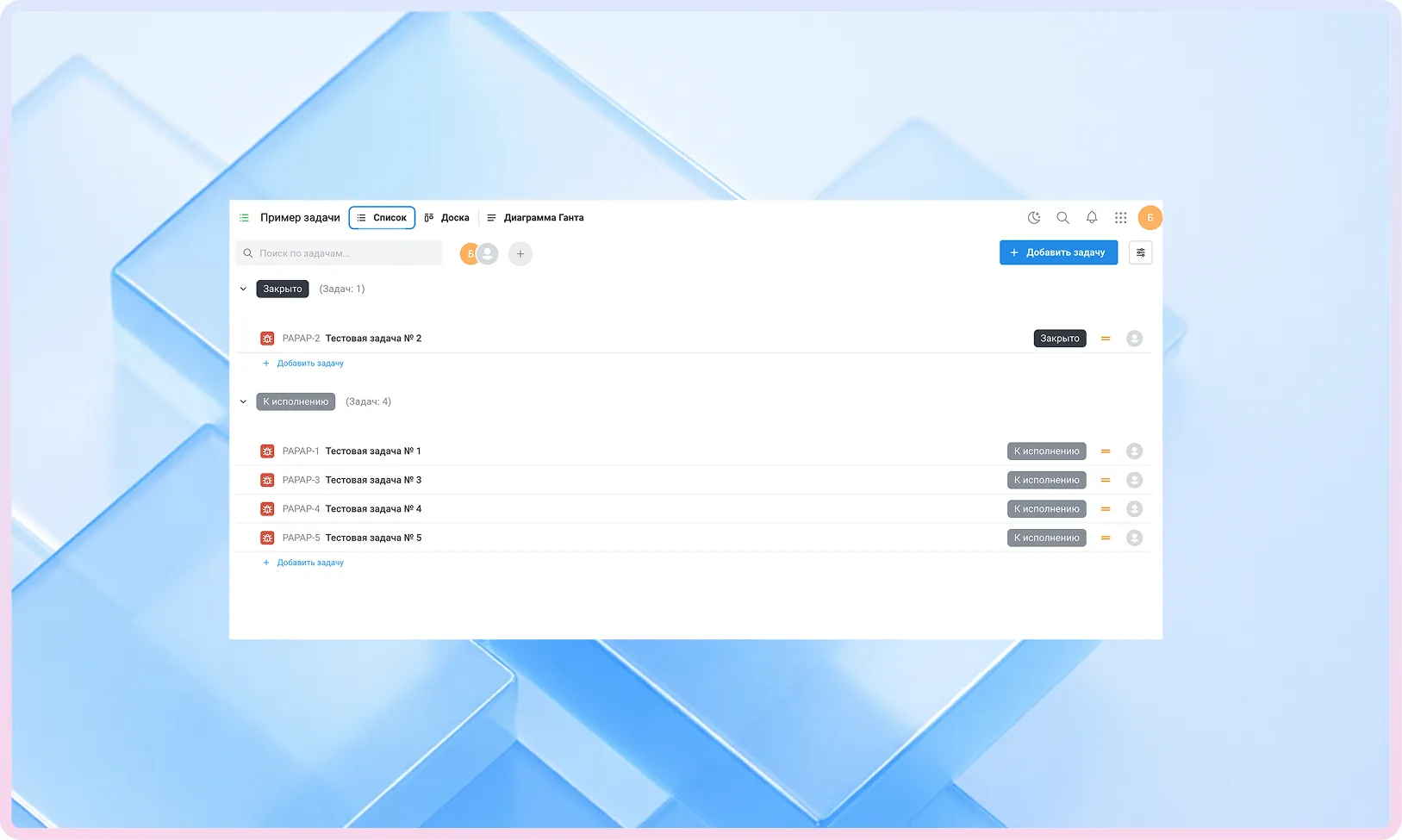
A classic tabular view for managing large volumes of tasks and prioritizing them clearly.
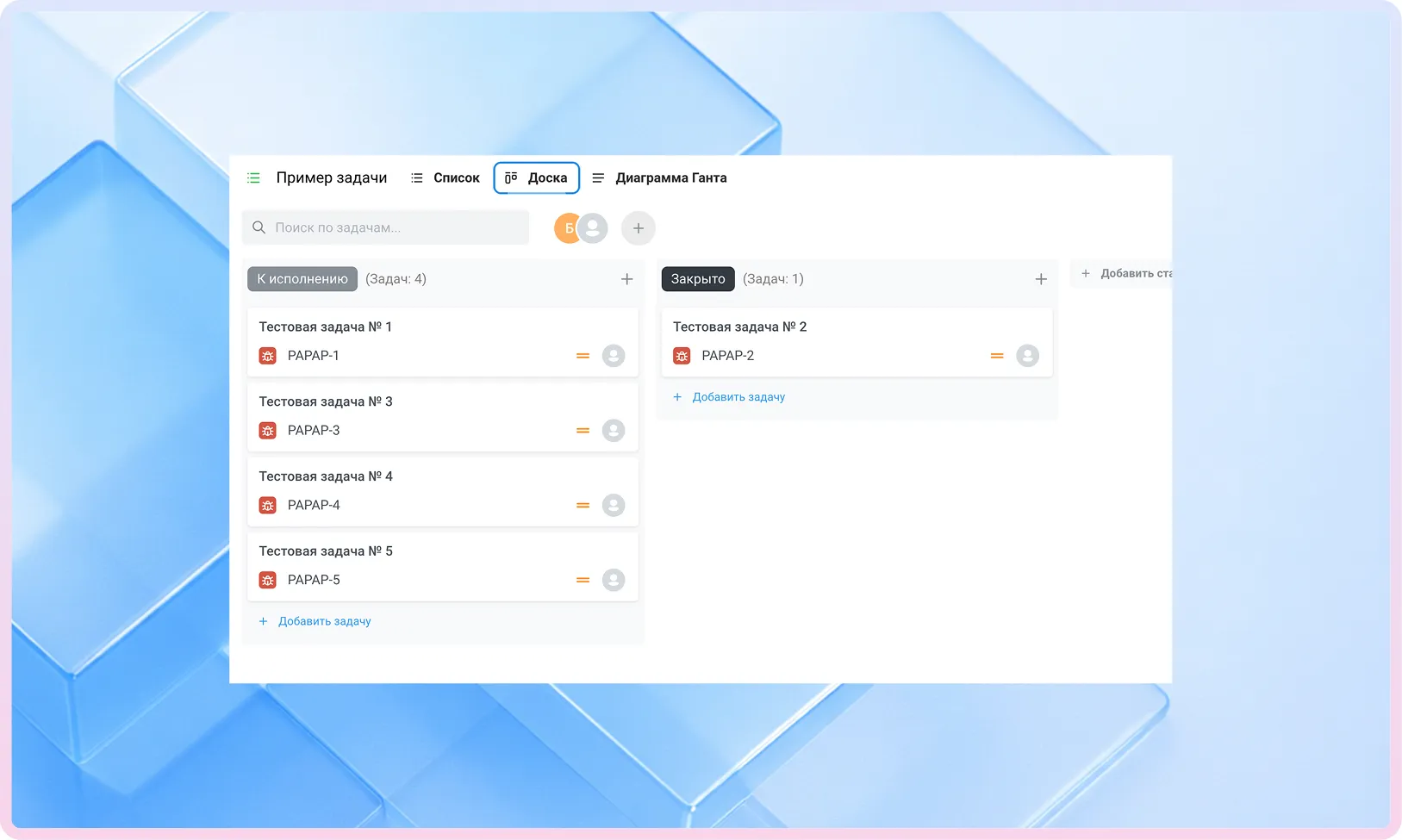
A visual layout of tasks by column and status. Ideal for day-to-day work and quick progress checks.
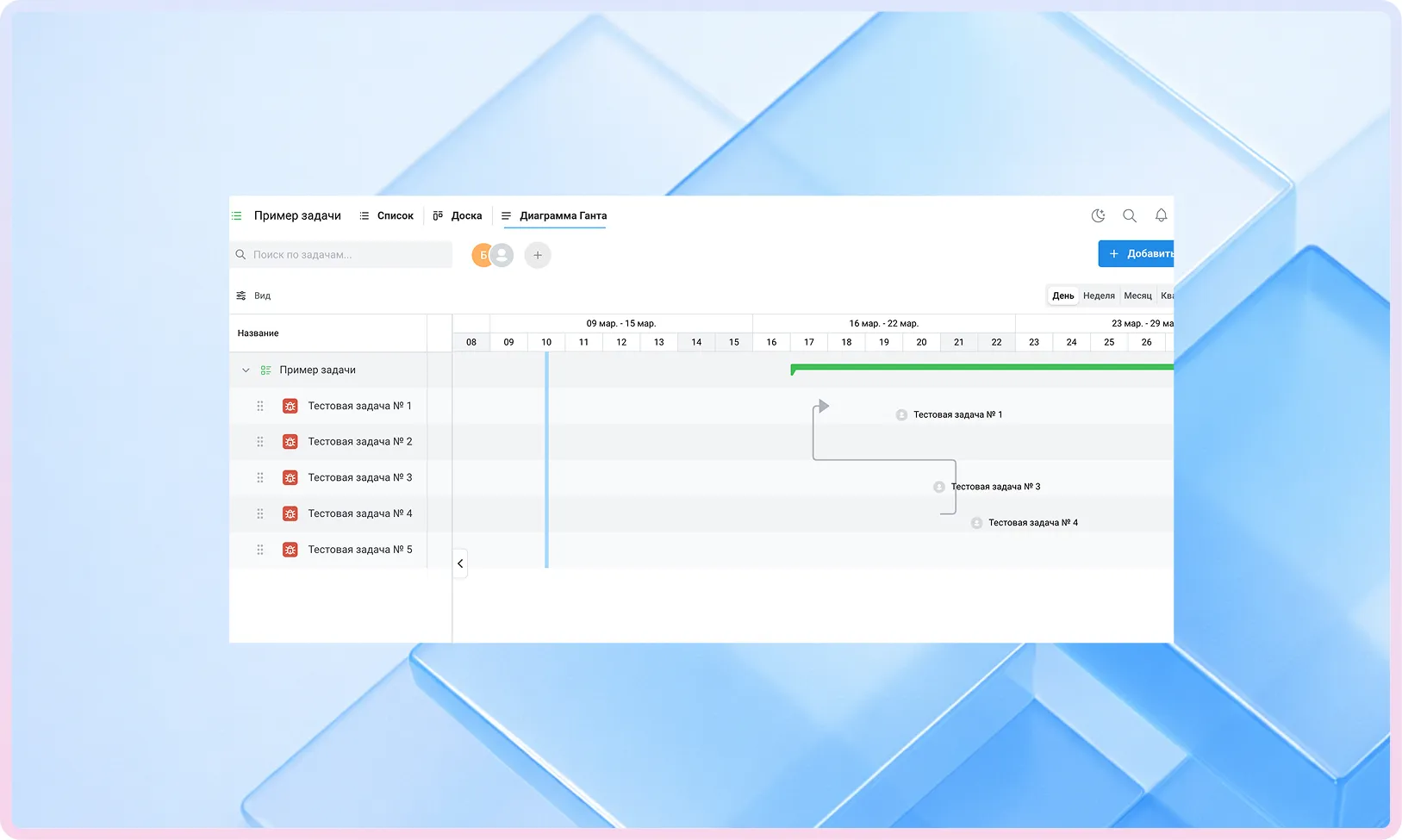
See timelines, dependencies, and the overall project schedule at a glance. Great for planning and keeping deadlines on track.
A classic tabular view for managing large volumes of tasks and prioritizing them clearly.
A visual layout of tasks by column and status. Ideal for day-to-day work and quick progress checks.
See timelines, dependencies, and the overall project schedule at a glance. Great for planning and keeping deadlines on track.
R7 Projects is deployed within your organization’s own infrastructure — on-premises or in a private cloud.
The solution supports handling of personal and confidential data in accordance with Russian legal requirements.
Permissions for projects and tasks are managed centrally. You can flexibly restrict access, assign roles, and define participant responsibilities.
The product is developed in Russia, listed in the Unified Register of Russian Software, and recommended for deployment in enterprise and public-sector environments.
R7 Projects is deployed within your infrastructure alongside the Corporate Server, which includes document editors, Drive, mail, calendar, communications, and other platform modules.
All data on projects, tasks, and participants remains under full organizational control and is governed by unified access rules.
A cloud environment for exploring R7 Projects. Evaluate the interface, task management logic, views, and collaborative editing.
R7 Office is already running inside the software ecosystems of major Russian corporations and partner infrastructures, handling high traffic volumes and millions of active users every day.



R7-Projects is part of the unified R7 platform, used by major companies, public organizations, and distributed teams.
The tool is designed to handle a vast number of tasks and participants, delivering stable performance under daily workloads in any corporate environment.
You’ll get a hands-on look at formatting, document comparison, automation, and spell-check features applied to real-world business scenarios.
Yes. The module is designed for large organizations with high workloads and complex team structures.
It suits project and product teams as well as IT departments where planning, deadline control, and work transparency are critical. It supports distributed teams where participants are spread across different divisions, branches, or locations but share a unified view of tasks and projects.
Currently available views include a standard task list, Kanban board, and Gantt chart. All views work with the same underlying data and let you look at a project from different angles.
Additional visualization modes are planned for future releases, including a calendar view, mind maps, and other ways to visualize tasks.
Yes. R7 Projects maintains a full change history for tasks and projects. It records who created a task, and when — as well as any changes to status, priority, assignee, description, or attachments. This lets you reconstruct the course of work at any point and understand how a project evolved.
This website uses cookies to improve site performance, analyze traffic, and personalize content.
Technical cookies required for the website to function. These cannot be disabled.
Help us understand how you use the website so we can improve it.
Used to display relevant ads and measure campaign effectiveness.